Attending training
Recording your attendance at a training session is a thirty-second job: scan the QR code your officer displays and tap one button. You just need to be signed in to Firecrest on your phone.
The QR scan flow
-
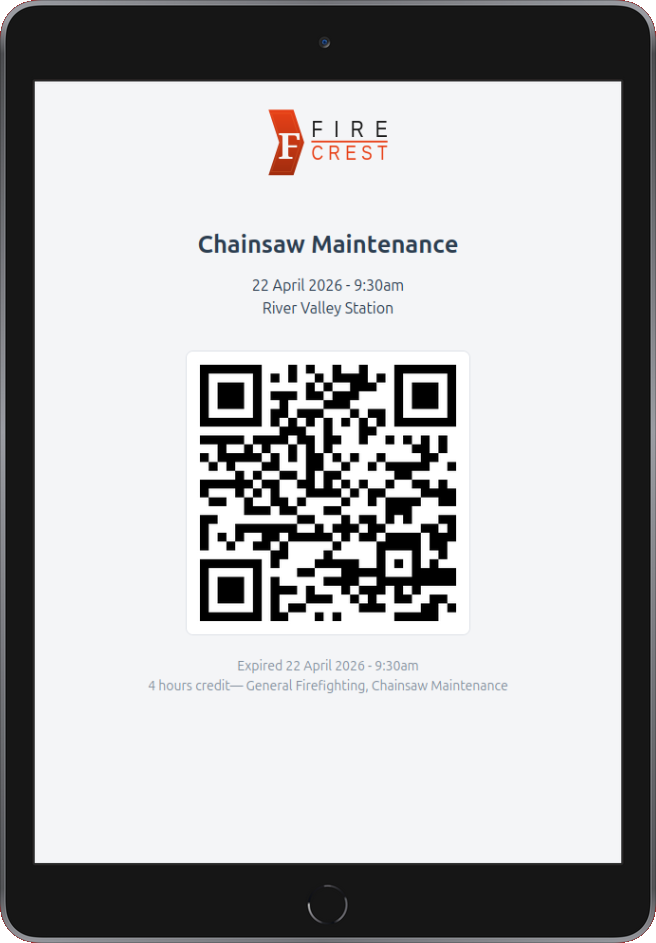
Find the QR code. At the start of the session your officer will display the session QR — usually on a phone, tablet, or a printed sheet near the sign-in table.
-
Scan with your phone camera. Open the camera app, point at the QR. A notification appears with the Firecrest link. Tap it.
-
Sign in if you aren't already. If you're already signed in to Firecrest on your phone, the page opens straight to the Record Attendance screen with your name shown at the top — nothing to type. If you're not signed in, Firecrest asks you to sign in first with your email and password, then brings you right back to the same screen.
-
(Optional) leave feedback — there is a textarea where you can drop a quick anonymous comment about the session. Your officer can see all the feedback for the session, but it is not linked to your name.
-
(Optional) attach a photo — there's a Photo field below the feedback box. If you snapped something worth keeping (a drill setup, a piece of damaged gear, the crew at the end of the night), pick the file and it'll be attached to the session. JPEG, PNG or WebP. The photo isn't required and your attendance still records even if the upload fails.
-
Tap "Record My Attendance". You'll see a green tick page on success. Your hours are now logged against every SMP linked to the session that you hold the matching qualification for.
-
Rate the session (optional, training only). The success page asks "How was the session?" with a row of five stars. Tap one to submit your rating — it's anonymous, not linked to your name, and you only get to rate once per attendance. Skip it if you'd rather not.
You should also receive a confirmation email shortly after — unless you have turned those off in My Profile.
When attendance is refused
If the scan can't be recorded, you will see a red cross page with a reason. Possible reasons:
| You see | What to do |
|---|---|
| This session has not started yet | You scanned too early. The page shows when scanning opens (at, or shortly before, the start time) — wait until then and scan again. |
| This QR code has expired | The 24-hour window has passed. Ask your officer to record you manually. |
| Attendance already recorded | You already scanned in earlier — no action needed. |
| You do not hold the required qualifications | This session needs a qualification that isn't on your record. Firecrest offers to add it and sign you in — see below. |
| Wrong department | Your account belongs to a different department. You can't attend cross-department like this. |
Missing a qualification?
If the session needs a qualification that isn't on your record yet, you won't be turned away. The page names the qualification(s) you're missing and shows an Add qualification & attend button. Because adding a qualification also enrols you in every SMP linked to it, you first confirm that you actually hold it. Once you confirm, Firecrest adds it and records your attendance in one step - no need to re-scan the QR code.
Only add qualifications you really hold
This is for a qualification you've earned but that hasn't been entered yet - not a way to sign up for one you don't have. If you're not sure, leave it and ask your officer.
Forgot your phone? No signal?
Just ask the officer to record your attendance manually. They can add you from the session detail page on their end, and you will receive the same confirmation email afterward.
Scanning late
You can scan the QR up to 24 hours after the session start. After that, the QR expires and you'll need an officer to add you manually.
Even within 24 hours, scanning significantly after the session ends will flag your attendance record. The record still goes in, but your officer is prompted to review it. They'll either:
- Approve — clears the flag, attendance stays
- Reject — deletes the record (with a confirmation prompt)
If you genuinely couldn't scan during the session (e.g. you arrived late, lost signal), let your officer know so they don't reject it.
Incident attendance
Incidents — real callouts — do not have a QR code. Your officer adds attendance manually after the event. You should still receive a confirmation email when this happens.